How it works?

Upload a Word, PPT, or Excel document or enter a public URL.

The checker scans the documents for accessibility barriers.
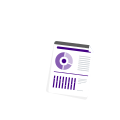
See a detailed report including accessibility score, WCAG 2.1, 2.2 AA and Section 508 compliance checks, issues with severity levels.
Supported Compliance Standards
Who Can Benefit?
- Businesses & Organizations
- Government Agencies
- Educational Institutions
- Content & Marketing Teams
- Accessibility & Compliance Teams
- HR & Internal Communications
- Publishers & Content Providers
FAQs
It checks document elements such as headings, lists, images, alternative text, tables, links, reading order, language settings, and document structure.
It determines whether content is likely to be presented in a logical sequence when accessed through assistive technology. This is particularly important for documents with columns, images, sidebars, or complex layouts.
Depending on the file format, it identifies issues with form fields and their associated labels, structure, or properties.
Testing before publication is preferable. It gives content teams an opportunity to correct issues before a document reaches customers, employees, students, constituents, or other audiences.
