How it works?

Upload a video or enter a public video URL.

The checker evaluates available accessibility features and relevant technical elements.
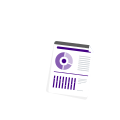
See a detailed report highlights identified issues and accessibility areas that may require attention.

Use the findings to guide corrective measures, such as adding captions, providing transcripts, improving audio descriptions, or addressing media player accessibility.
Who can benefit from Video Accessibility Testing?
- Businesses & Brands - Review product demos, marketing videos, and other customer-facing content.
- Content Creators - Check tutorials, educational videos, and social media content for accessibility gaps.
- Marketing Teams - Evaluate promotional videos before publishing them across digital channels.
- Educators & Training Teams - Review instructional, training, and learning videos for broader accessibility.
- Developers & Web Teams - Identify video accessibility issues during website or application development.
- Government & Organizations - Support digital accessibility initiatives and ongoing content reviews.
- Media & Video Professionals - Video production studios, video streaming compliers, TV or media studios during broadcast, streaming, and media programming.
- Agencies & Accessibility Professionals - Perform initial checks across video content and identify areas requiring further testing.
Supported Compliance Standards
FAQs
Not always. Automatic captions can contain errors and may not accurately convey spoken dialogue or sounds. Review and correct auto-generated captions or use professional captioning or AI video subtitle service to meet accessibility requirements.
The checker supports videos hosted on YouTube, Vimeo, TikTok, Instagram, and Twitch.
For a comprehensive audit, yes. Automated results may not evaluate caption accuracy, transcript quality, audio descriptions, or the overall usability of the video experience.
It identifies accessibility considerations related to video content, but an automated assessment alone does not establish full WCAG, ADA, or CVAA compliance. Additional manual and technical evaluation would be necessary.
Turnaround depends on the video length, number of accessibility issues, caption quality, and level of manual review required. Simple fixes, such as correcting AI-generated captions, may be completed quickly, while comprehensive remediation involving manual captions, audio descriptions, transcripts, and accessibility testing require additional time. Request a quote for video accessibility.
