IP Based Login Control
IP Based Login Control allows account owners and admins to limit dashboard access to specific IP addresses or IP ranges. Only users logging in from approved IPs can access the account.
Watch here about IP based or two factor authentication login at accessibility dashboard!It adds an extra layer of security by restricting login access to trusted networks, reducing unauthorized account access.
Only the Account Owner and Admins with the required permissions can add or manage trusted IP addresses.
- Go to All in One Accessibility® Dashboard
Select Security
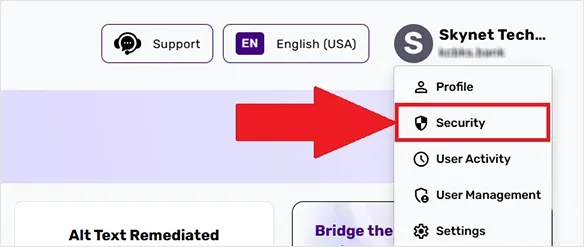
Select "IP Address" Tab

Click on "Enable IP Verification" Button
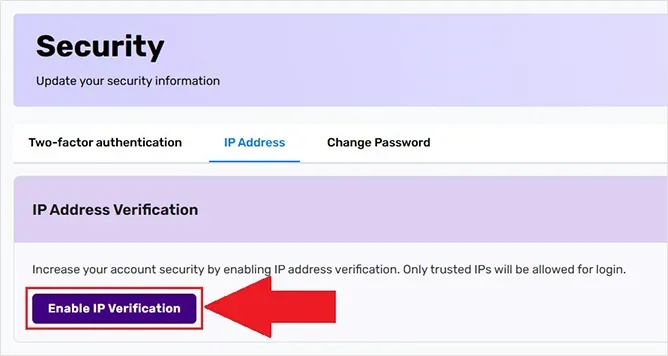
Add IP, enter the IP address or range, and save the changes

Yes. You can add one or several IPs, depending on the number of networks your team uses.
Access will not be allowed, and the user will see a message indicating the Unauthorized IP address. Please log in from an approved system or network.
Yes. Admins can disable the feature at any time if broader access is required or if team members are working remotely.
Yes.
