SSO Login Options (Google, Microsoft, Apple)
Login with SSO allows you to sign in to All in One Accessibility® using an existing Google, Microsoft, or Apple account. It provides a quick, secure, and password-free login experience.
- On the login page
Click one of the following: “Continue with Google”, “Continue with Microsoft” or “Continue with Apple”
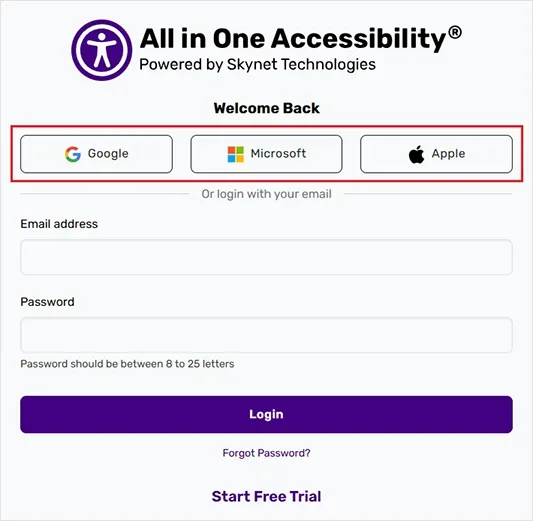
- Select the account when prompted, and it will be automatically logged in.
No. If it’s your first time logging in with SSO, the All in One Accessibility® account will be created automatically based on SSO email address.
Yes. SSO uses the strong security of Google, Microsoft, and Apple, including multi-factor authentication (if enabled), to protect your account.
You can log in with any provider that uses the same email address associated with All in One Accessibility® account. If the email differs, it will create a separate account.
Check the following:
- Ensure you are selecting the correct Google/Microsoft/Apple account.
- Verify that your SSO email matches All in One Accessibility account email.
- Clear browser cache or try a different browser. If the issue continues, contact support@skynettechnologies.com.